Blogs
BlogsHow to Create a High-Converting Product Page
Design tips that turn visitors into buyers with better product pages

Mahmudul Hasan
Product & Operations Editor

Introduction
Your product page is where buying decisions happen. A well-designed product page can double or triple your conversion rate compared to a poorly designed one.
This guide covers the essential elements every high-converting product page needs.
Page Layout Best Practices
The layout of your product page should guide the customer naturally toward placing an order:
- Hero image at the top — large, high-quality product photo
- Product name and price clearly visible
- Key benefits in bullet points
- Order button prominently placed
- Customer reviews below the fold
- FAQ section to address common questions

Pro Tip: Follow the F-pattern — customers scan pages in an F-shape. Place your most important content along this path.
Product Information
Great product information answers every question a customer might have:
- What is the product and what does it do?
- What materials is it made from?
- What sizes/colors/variants are available?
- What is included in the package?
- How long does delivery take?
Write in simple language. Avoid jargon. Focus on benefits, not just specifications.
Pricing Strategy
How you display pricing can significantly impact conversions:
- Show the original price crossed out next to the sale price
- Display savings as a percentage ("Save 30%")
- Offer bundle deals for multiple items
- Include delivery cost upfront — hidden fees kill conversions
- Add urgency with limited-time offers
Transparent pricing builds trust. Never surprise customers with extra charges at checkout.
Recommended Storefront Templates
These storefront starting points work well for the product categories discussed in this guide. Choose the closest structure, then replace the demo content with your own product details, policies, and photography.
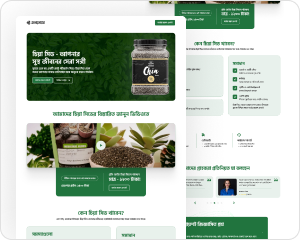
Tasty Achar
Food
Smart Watch
Gadget
Kids Books
Books
Formal Shirt
Clothing
Explore Our 100+ Templates
Start with a professionally designed template and make it your own in minutes. Optimized for e-commerce conversions.
Seller Reviews
Seller feedback is most useful when it explains the workflow that improved, not only the final sales result. These perspectives show the kinds of practical changes to look for.
বাংলাদেশি বিক্রেতাদের অভিজ্ঞতা
দৈনন্দিন কাজ সহজ করার বিষয়ে বিক্রেতাদের মতামত।
“কালেকশন আপডেট করে সরাসরি প্রোডাক্ট লিংক শেয়ার করতে পারি। ডেভেলপারের জন্য অপেক্ষা না করায় অর্ডার নেওয়ার কাজটি এখন অনেক গুছানো।”

ফাতিমা রহমান, নীলা বুটিক
“স্টক আর অর্ডার একই জায়গায় থাকায় ডেলিভারি নিশ্চিত করার আগে টিম সহজে তথ্য মিলিয়ে নিতে পারে। ভুলও আগের চেয়ে কম হয়েছে।”

ইমরান খান, ফ্রেশমার্ট অনলাইন
Conclusion
A high-converting product page is not about fancy design — it is about clarity, trust, and removing friction from the buying process.
- Use a clean, structured layout
- Provide complete product information
- Display pricing transparently
- Include trust signals and reviews
- Make ordering as easy as possible