


 Blogs
5 Mistakes That Kill Your Online Sales
Learn what to avoid so you can maximize your conversions and revenue

Shakib Ahmed
E-Commerce Growth Editor

Introduction
You are getting traffic but not enough sales? Chances are you are making one or more of these common mistakes that drive customers away.
In this article, we will cover the top 5 mistakes that kill online sales — and how to fix each one.
Slow Loading Pages
Page speed is critical. Slow pages create friction before customers can understand your offer or place an order.
- Compress all images before uploading
- Measure loading performance on a typical mobile connection
- Avoid heavy animations and unnecessary scripts
- Test your published page regularly
Pro Tip: Preview your published page on mobile and keep images appropriately sized. Content, media, and network conditions affect load time.
Low Quality Images
Your product photos are the first thing customers notice. Bad images instantly kill trust.
- Use natural lighting for product photos
- Show the product from multiple angles
- Include lifestyle shots showing the product in use
- Keep backgrounds clean and consistent
Missing Trust Elements
Customers are skeptical online — especially first-time buyers. Without trust signals, they will not order.
- Add customer reviews and testimonials
- Show delivery and return policies clearly
- Display payment security badges
- Include your business phone number or WhatsApp
Even 2–3 genuine customer reviews can significantly boost your conversion rate.
Not Optimized for Mobile
Many customers in Bangladesh discover products and place orders from a phone. A page that is difficult to use on mobile can lose otherwise interested buyers.
- Text should be readable without zooming
- Buttons should be large enough to tap easily
- Images should resize properly on small screens
- Forms should be simple and easy to fill on mobile

Weak Call to Action
A weak or missing call-to-action is one of the biggest conversion killers.
- Use action-oriented text: "Order Now", "Buy Today", "Get Yours"
- Make the CTA button large and colorful
- Place CTA buttons in multiple spots on the page
- Create urgency: "Limited stock", "Offer ends soon"
Pro Tip: Place your first CTA button above the fold — visible without scrolling.
Recommended Storefront Templates
These storefront starting points work well for the product categories discussed in this guide. Choose the closest structure, then replace the demo content with your own product details, policies, and photography.
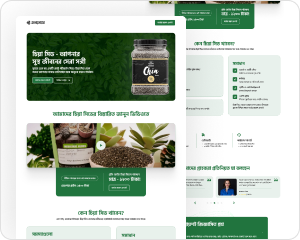
Tasty Achar
Food
Smart Watch
Gadget
Kids Books
Books
Formal Shirt
Clothing
Explore Our Template Library
Browse available templates and choose a starting point for your store. Template access depends on your plan.
Log In To Explore TemplatesExample Workflows
These are illustrative workflows using current product tools, not customer testimonials or measured business results.
Example Workflows
Illustrative examples, not customer reviews.
A fashion seller can update a collection, preview product variants, and share a published product link.

Fashion Store Example
Example workflowA store team can review order details and check stock on a paid plan before booking a parcel with a configured courier account.

Order Team Example
Example workflowConclusion
Fixing these 5 mistakes can dramatically increase your online sales. The good news is that all of them are easy to fix with the right tools.
- Speed up your pages
- Use high-quality product images
- Add trust elements throughout
- Ensure mobile-first design
- Write strong, visible calls to action
